
CabWriter 8 continues our tradition of offering enterprise level capabilities at entry level prices while adding powerful new features to make you even more efficient and help you wow your customers.

New in Version 8

  • Native DXF File Viewer

    View your optimized DXF files from within CabWriter/SketchUp. Turn layers on and off, make measurements, and review your files without having to use another application. (Cabwriter CNC Only)

  • Specify Door and Drawer Grain Direction

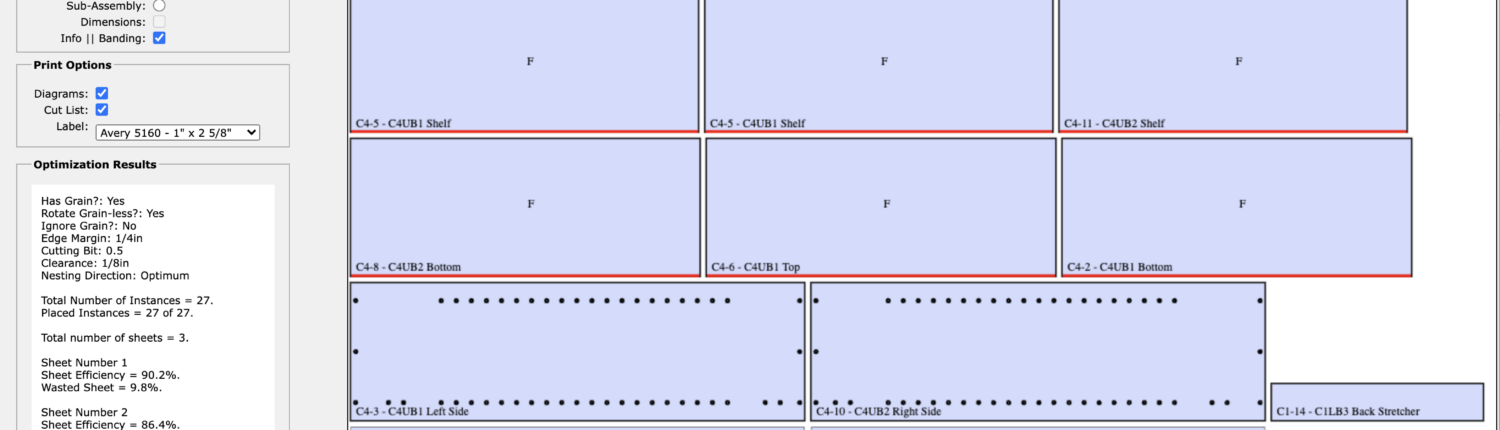
    Now you can choose to have the grain for your doors and drawers all running in the same direction either horizontal or vertical. Works great when you have slab doors with grain matched veneer. Parts will be properly oriented on optimized plywood sheets as well.

  • Customize Cut Lists

    Specify a custom format for your exported, cut lists; add or remove columns and change their order to suit your needs. Can have a different format for each type of cut list; rough lumber, dimensioned lumber, and sheet goods or the same format for all three.

  • Rough Lumber Report Enhancements

    A number of improvements, including the ability to specify maximum with for rough or dimensioned lumber allowing CabWriter to indicate when panels need to be glued up.

  • CNC Optimization Improvements

    Now you can choose either the X or Y access for the long dimension on a sheet of plywood as some CNC machines use the long edge as the Y axis. Also, you are now able to delete any blank optimized sheets that may appear after moving parts around on an already optimized sheet. (CabWriter CNC Only)


CabWriter 8 – New Features

The YouTube video below describes how to use all of the new features in CabWriter 8.