

You asked, we listened! Over the years, we’ve had a number of requests for drawing tools designed specifically towards closets. The result is CabWriter Closet, which works with both CabWriter Home and Pro. Just like with standard CabWriter tools, components are drawn parametrically; you’ll use the new Closet Story Stick to draw closet components in a similar way as cabinets. Easily switch back and forth between cabinets and closet components in the same project; all of your parts will end up together in your production documentation and with the addition of CabWriter CNC, your closet components will be exported to DXF along with any cabinet components.
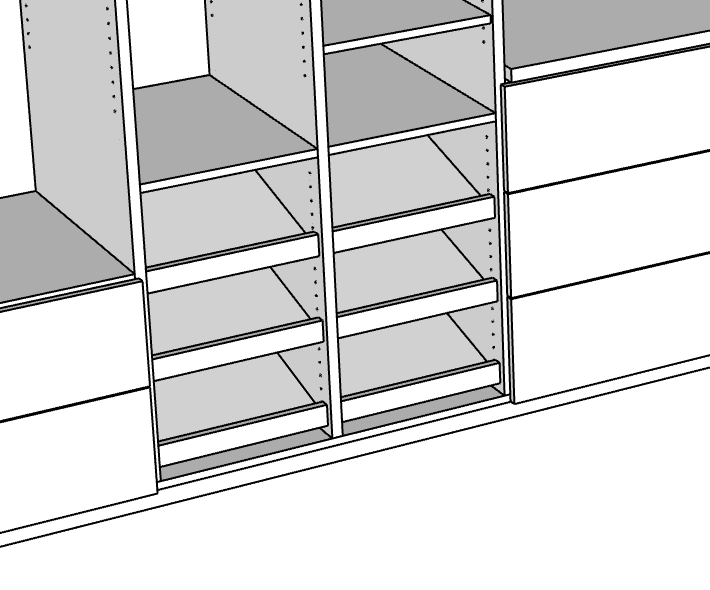
How is it different from standard CabWriter tools? CabWriter Pro and Home are designed to draw cabinets, defined as being a box or carcass, with or without end panels or sheets, with a face frame or frameless, and usually including doors and drawers. Any number of boxes are connected together to form a run of cabinets, sometimes with a face frame that spans multiple boxes. This works great for kitchens, bathroom vanities, media centers, and many other applications. Closets on the other hand, often consist of a number of discrete parts such as ends, partitions, tops, bottoms, fixed and adjustable shelves (including slanted), doors, drawers, and often a collection of cleats and stretchers for mounting hardware, sometimes with a cabinet or two mixed in. In many instances, there are no backs to the closets, which is another big difference from cabinets. Most of the time, these parts are assembled onsite due to the tight confines of the space. CabWriter Closet is optimized to draw all of these individual components which the user can then group into discrete closet modules for documentation purposes.
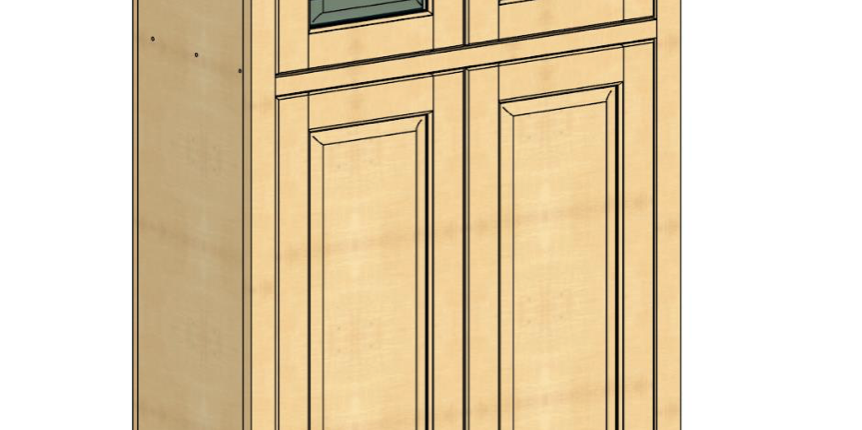
Combining cabinet tools with closet tools opens up a whole new world of opportunities. For some projects, it’s easy to draw part of it as a cabinet, but other parts are more geared towards individual components such as the hutch shown below. The bottom half was drawn with CabWriter cabinet tools, while the top half used CabWriter Closet tools. Just like the cabinet tools, CabWriter Closet can also automatically draw the necessary hinge, drawer slide, and shelf pin holes automatically based on parameter settings, but also introduces a flexible new hole tool that allows you to add or delete any number of holes at any position on any component, including cabinet components.
With the addition of closet tools to the CabWriter family, you’ll have unprecedented power and flexibility at an amazingly low price. There’s almost nothing you can’t draw quickly and easily!
Check out the video below right to see how it all works.
Please Note: You must own a valid license for CabWriter Pro or CabWriter Home in order to activate CabWriter Closet. You will not need to download additional software, but will receive an additional license that you will use to activate CabWriter Closet.
Free Support: Your CabWriter Closet purchase includes a free support membership for one year from date of purchase which entitles you to free support and major software upgrades. It can be renewed for $120/yr thereafter.
Compatible with CabWriter Home or Pro and CNC
FREE: SketchUp online training course with purchase of any CabWriter product! Learn More…
CabWriter Closet Features
See How It Works
Click on the box below to access videos on all of the new CabWriter features, including the new closet tools.
CabWriter 6 – What’s New?